Plan a trip from the places you found in Google Maps
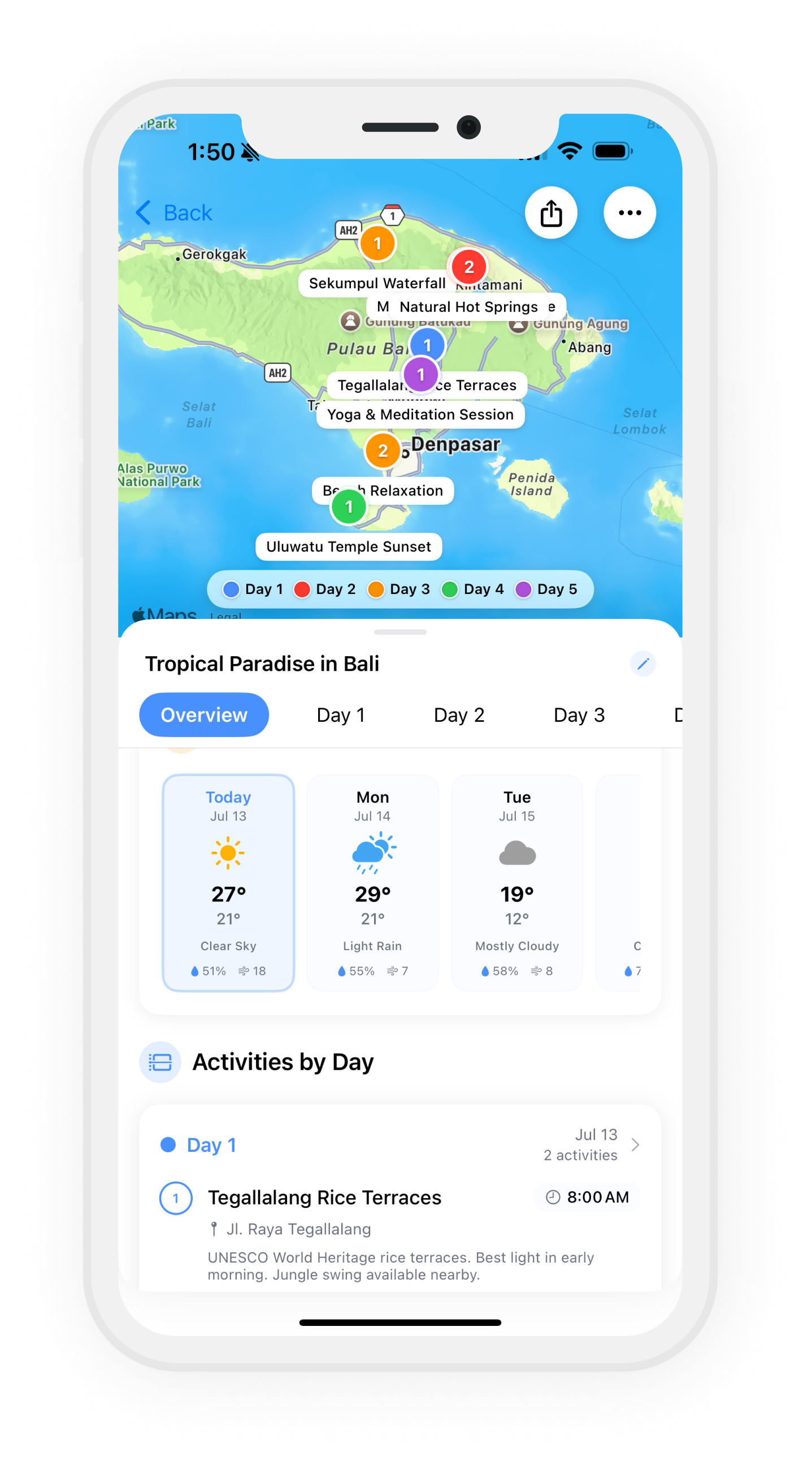
Google Maps is where you find places. Wanderjoy is where you turn them into days. Share any place from Google Maps into your trip, and every stop sits on one map with its own day, color and route.

For iPhone. Free to download; planning needs a subscription.
How to add a Google Maps place to your trip
- Step 1
Find the place in Google Maps
Open the place you want to add: a café, a museum, a viewpoint.
- Step 2
Tap Share, then Wanderjoy
In the share sheet, pick Wanderjoy. If you don't see it, tap More and switch it on.
- Step 3
Choose the trip and save
Wanderjoy reads the place's name and location from the link. Pick the trip, add a time or a note, and save.
- Step 4
Plan the days
Back in Wanderjoy the place is a pin on your trip map. Move it to the right day and put the day in order.
Why not just a Google Maps list?
A list holds places, but not days. Once you have twenty saved spots, the hard part is deciding which ones go together: what's close to what, what fits in a morning, what's on the other side of town. Wanderjoy shows each day as its own route on the map, so you can see a day that zig-zags and fix it before you're there.
Questions
Can Google Maps plan a trip on its own?
Google Maps is great for finding places, saving them to lists and getting directions. What it doesn't do is split a trip into days. A trip planner adds that: which places you'll see on which day, in what order.
Can I import a whole saved list from Google Maps?
Not in one go. Share places one at a time from Google Maps into Wanderjoy. Each one lands in your trip with its name and location.
Does it work with Apple Maps too?
Yes. Share a place from Apple Maps the same way.
Do I have to add every place myself?
No. Give Wanderjoy a destination and dates and it drafts a day-by-day plan; then add your own Google Maps finds on top.
See also: itinerary maker with a map · how Wanderjoy works
Your Google Maps finds, planned by day