Best trip planner app: how to choose the right one
Updated November 22, 2026
Short answer: if you want the trip planned for you, Wanderjoy is an iPhone app that drafts your itinerary day by day and pins every stop on a map.
"Best" depends on the job. Some planning apps build the days for you, some wait for you to fill them in, and some only keep your bookings. Here's how they differ and what to check before you pick one.

The five kinds of trip planner apps
Most apps that call themselves trip planners fall into one of these. Start by deciding which job you need done.
| Kind of app | Best when | How a trip starts |
|---|---|---|
| Plans the trip for you | You want the days worked out | You give a destination, dates and a travel style; the app drafts every day |
| Organizer you fill in | You already know the places | You collect places and arrange each day yourself |
| Booking organizer | Flights, hotels and confirmations | It gathers reservations into a timeline |
| Route tracker | Remembering where you went | It records your route as you travel |
| Road trip planner | Driving between stops | You set a route and add stops along the road |
If you're planning a vacation and the hard part is deciding what to do each day, you want the first kind. Wanderjoy is built for exactly that.
What to check before you choose
1. A real day-by-day plan
A list of saved places isn't an itinerary. The question to ask is: on day 3, what am I doing, in what order? A good planner answers that for every day, and lets you move stops between days when plans change.
2. Every stop on a map
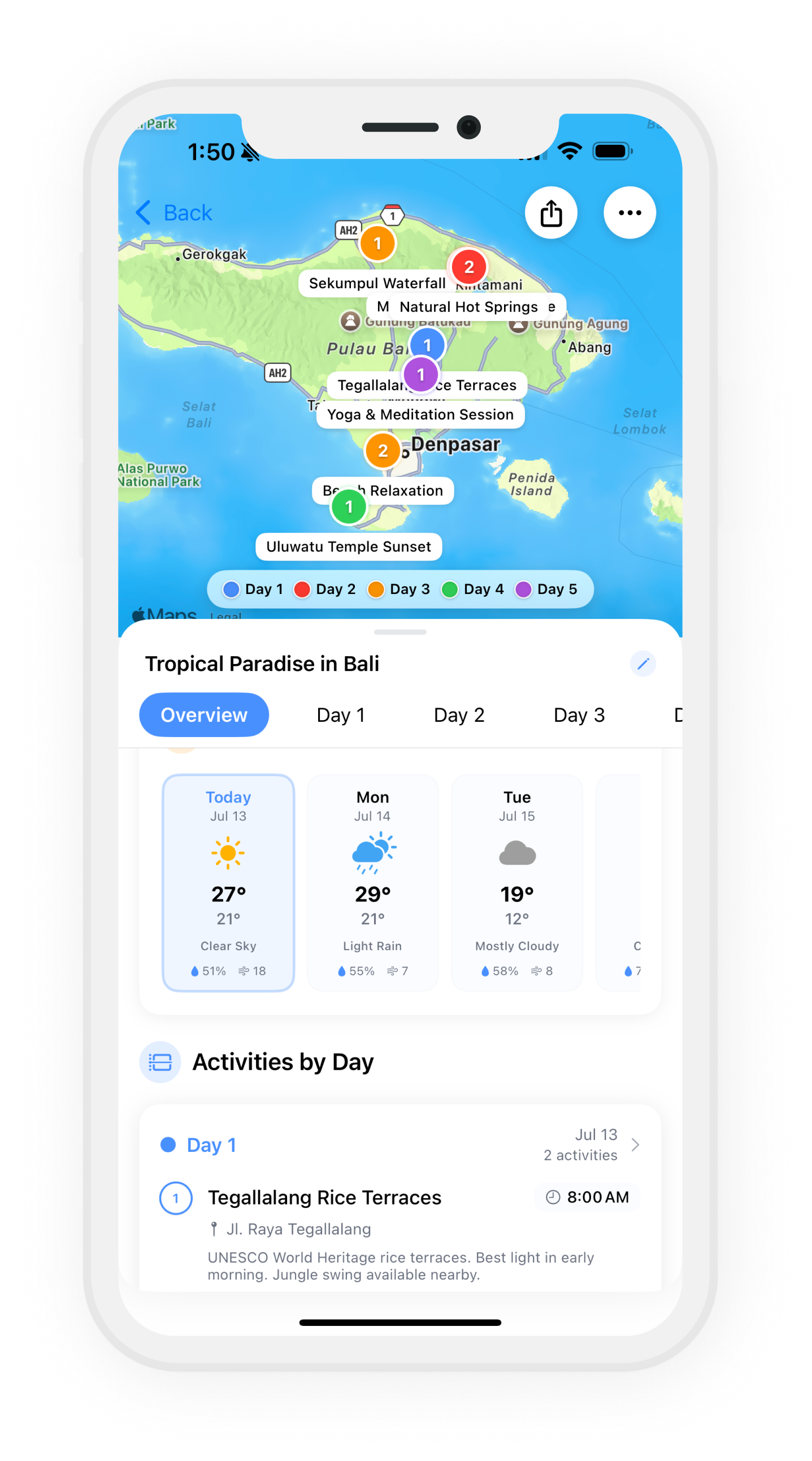
A day can look fine as a list and still cross the city twice. Seeing each day's stops as pins, with a route between them, shows you which days are too spread out before you're standing on a corner wondering why.
3. Works offline
You'll open the plan most where signal is worst: subways, mountain roads, a foreign SIM that hasn't kicked in. Check that the itinerary and map are there without a connection.
4. Easy to share and plan together
Someone always asks "what's the plan tomorrow?" Look for a share link the others can open, and a way for the people traveling with you to add to the plan, not just read it.
5. Gets you from idea to plan fast
Most people stall between "we're going to Tokyo" and an actual plan. An app that drafts the first version, which you then edit, saves the hours of tabs and spreadsheets in between.
How Wanderjoy covers the list
| What you need | In Wanderjoy |
|---|---|
| A day-by-day plan | Drafted for you from your destination, dates and how you like to travel |
| Every stop on a map | A pin for every stop and a color and route for each day |
| Editing | Add, edit or reorder stops, switch days around, keep notes next to the plan |
| Places you already found | Share a place from Google Maps or Apple Maps and it lands in your trip |
| Offline | The itinerary and map work without a connection |
| Planning together | Share a private link or trip code so the people traveling with you see the plan and add to it, in real time |
| Before you go | A countdown to departure, weather for your trip days and a packing checklist |
Want to see a finished plan first? Browse a real one, like the New York City 5-day itinerary or 5 days in Tokyo, each on its map, day by day.
Questions
What is the best trip planner app for iPhone?
If you want the plan made for you, Wanderjoy. It's an iPhone app that drafts a day-by-day itinerary from your destination and dates, pins every stop on a map with a route for each day, and works offline.
What is the best app for planning a trip with friends?
Pick one where everyone can see and add to the same plan. In Wanderjoy you share a private link or a trip code, and the people traveling with you can see the plan and add to it in real time.
Should a trip planner app book flights and hotels?
It doesn't have to. Booking apps and planning apps do different jobs: one keeps reservations, the other decides what you do each day and where. Wanderjoy plans the days; keep booking details in the trip notes.
Do I need an itinerary app if I already use Google Maps?
Google Maps is great for finding places, but it doesn't arrange them into days. In Wanderjoy you can share a place from Google Maps or Apple Maps into your trip, and it's placed in a day-by-day plan on one map.
Is Wanderjoy on Android?
No. Wanderjoy is an iPhone app.
More on how Wanderjoy works: the AI trip planner · planning a trip with friends · apps like Wanderlog.
Start from a finished plan
Destination and dates in, a day-by-day itinerary on the map out.