A trip countdown app with the plan ready
Updated November 21, 2026
Short answer: Wanderjoy is an iPhone app that counts down the days to your trip and drafts the day-by-day itinerary on a map, so when the countdown reaches zero the plan is ready.
Most countdown apps give you a number. Wanderjoy gives you the number and the trip behind it: the days, the stops, the route, the packing list. Here's how it works.

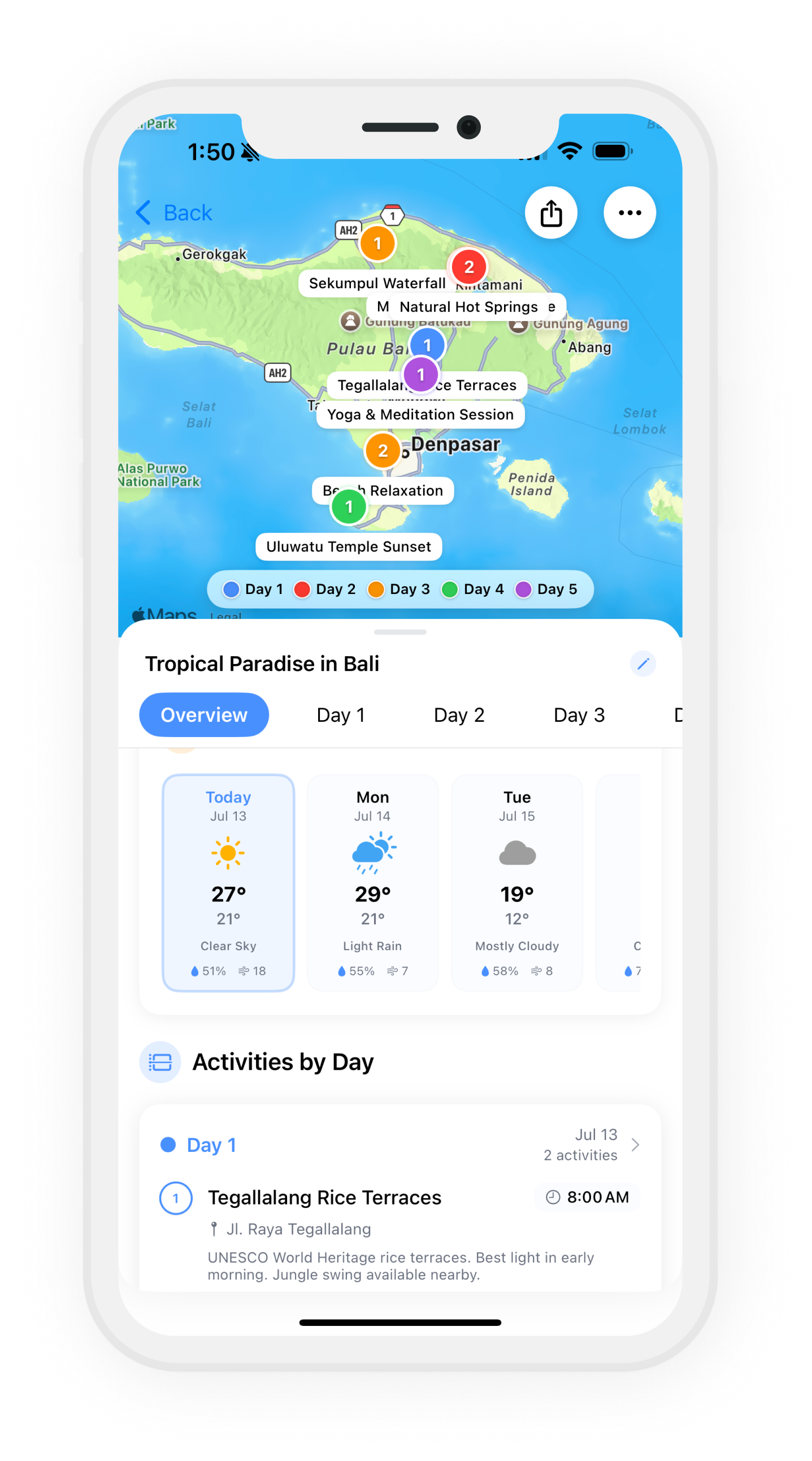
How to count down to a trip in Wanderjoy
1. Add the trip and its dates
Tell Wanderjoy where you're going, when, and how you like to travel. The countdown to departure starts from your dates.
2. Get a full plan to look forward to
Wanderjoy drafts every day of the trip with the must-see sights, local highlights and a few hidden gems, each stop pinned on a map with a route for every day. The countdown isn't just a number: it counts down to days you can already see.
3. Turn on daily reminders if you want them
Optional daily reminders keep the trip in mind as the days tick down, a nudge to add a place you heard about or check off the packing list.
4. Shape the days while you wait
Add, edit or reorder stops, move them between days, and keep trip notes next to the plan. Places you find in Google Maps or Apple Maps can be shared straight into the trip.
5. Leave ready
A packing checklist fits your destination and its weather, and the itinerary works offline once you're there.
What the countdown comes with
| What you want | How Wanderjoy does it |
|---|---|
| Days until the trip | A countdown to departure from your trip dates |
| Something to look forward to | A day-by-day plan drafted for you, every stop on a map |
| A nudge as it gets closer | Optional daily reminders |
| Getting ready | A packing checklist for your destination and its weather |
| On the trip | The itinerary and map work offline |
| Counting down together | Share a private link or trip code so the people traveling with you see the plan and add to it |
Make the countdown count
- Start the plan early. A trip months away is easier to look forward to when you can already see day one on the map.
- Add one place a week as you hear about it, a restaurant from a friend or a viewpoint from a video, so the plan grows with the countdown.
- Check each day's route before you go: a day that crosses the city twice is a long day.
- Work through the packing checklist in the last week instead of the last night.
Questions
What is a good trip countdown app for iPhone?
Wanderjoy is an iPhone app that counts down to your departure and plans the trip itself: it drafts a day-by-day itinerary with every stop on a map, so the countdown leads to a plan that's ready.
How do I set up a countdown to my vacation?
Add your trip and its dates in Wanderjoy. The countdown to departure runs from those dates, and you can turn on optional daily reminders.
Can I count down to a trip with friends or family?
Yes. Share a private link or the trip code, and the people traveling with you can see the plan and add to it in real time.
What should I do while I count down to a trip?
Use the time to shape the days: look at each day's route on the map, add the places you hear about, keep notes next to the plan and work through the packing checklist.
Will my plan work when I get there without signal?
Yes. Wanderjoy works offline, so your itinerary and map are there between Wi-Fi spots.
More on how Wanderjoy works: the AI trip planner · planning a trip with friends · the trip planner app.
Count down to a trip that's already planned
Add your dates, watch the days tick down, and have the itinerary ready on the map.